Every year, thousands of Bihar candidates lose an application, or a seat in the exam hall, over a small detail: a wrong qualification date, a missed corrigendum, a mismatched category. Most of these mistakes can be avoided by reading the official notification carefully before you apply. This guide gives you a step-by-step method to do that.
Why the official notification matters more than any summary
Coaching sites, YouTube videos and social media posts summarise notifications, but they can be incomplete or out of date. The notification published by the recruiting body is the only document that decides who is eligible. If a summary and the notification disagree, the notification wins.
Rules also differ from one recruitment to the next. Age limits, qualifications, reservation and fees depend on the specific advertisement, so never assume last year's rules still apply.
Step 1: Start from the official website
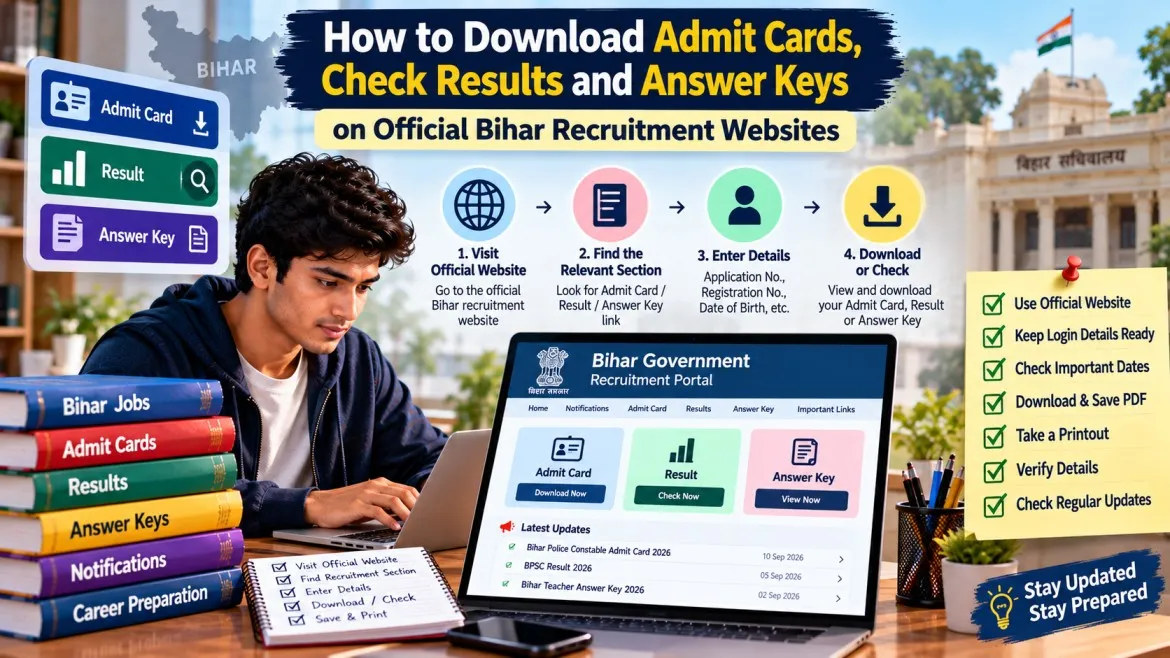
Open the recruiting body's own website and find the notification there. For BPSC, that is bpsc.bihar.gov.in. Other Bihar bodies, such as BSSC, BPSSC and the Bihar Police recruitment board (CSBC), publish notices on their own .bihar.gov.in websites.
Download the full notification PDF. Do not rely on a news article or a short "apply now" post.
Step 2: Note the advertisement number
Bihar commissions publish every recruitment under an advertisement number (for example, "Advt. No. 12/2026"). Write it down. You will need it to:
- find the correct application on the portal,
- match corrigenda and exam notices to the right recruitment,
- avoid confusing two recruitments for similar posts.
Step 3: Check eligibility line by line
Read the eligibility section slowly. Use this checklist.
| What to check | What to look for | Common mistake |
|---|---|---|
| Post and department | Exact post name and cadre | Applying for the wrong post |
| Educational qualification | Required degree or subject, and any final date by which it must be held | Assuming a final-year result is enough |
| Age limit | Minimum and maximum age, and the date on which age is calculated | Counting age from today's date |
| Age relaxation | Category-wise relaxation, if any | Assuming the relaxation from another exam applies |
| Reservation and domicile | Which categories and certificates are accepted for this recruitment | Using an old or wrongly formatted certificate |
| Other requirements | Physical standards, language papers, typing or computer skills, experience | Ignoring a requirement hidden in a footnote |
If any line is unclear, do not guess. Look for a clarification notice on the official site, or contact the commission through the help channels it lists.
Step 4: Understand dates, fees and the application process
Note down:
- the first and last dates of the online application,
- the last date for paying the fee,
- the tentative exam stage or schedule, if given,
- the documents you must upload, with their size and format.
BPSC applications run through One Time Registration (OTR). You register once, then log in and apply against a particular advertisement. BPSC's FAQ says details entered during OTR cannot be changed, although you may be asked to add or update specific details when an advertisement requires it. Enter your name, date of birth, category and contact details carefully the first time. The FAQ also says one online payment is needed per advertisement or post.
Always check each commission's own instructions, because the process can differ between bodies and between notifications.
Step 5: Re-check for corrigenda, extensions and postponements
A notification is not always final. Recent BPSC notices show how recruitments can change after they are announced: a corrigendum deleting a number of vacancies, an extension of an online application date, and a postponement of an exam. Any of these can change your plan.
Make it a habit to:
- open the commission's "What's New" or notice section before you submit,
- re-check it again after you apply and before the exam,
- match every notice with your advertisement number.
Common mistakes to avoid
- Applying on the last day. Portals slow down, and payments can fail.
- Uploading documents in the wrong size or format.
- Using a photo or signature that does not match the instructions.
- Entering details that differ between your OTR profile, your certificates and your ID.
- Paying the fee through an unofficial link.
- Ignoring a corrigendum because you read the original PDF weeks ago.
What to do next
- Download the official notification and note its advertisement number.
- Go through the checklist above and mark any line you are unsure about.
- Collect your documents early, and fix any name or date mismatch before applying.
- Complete your registration and application well before the last date.
- Save the final application, fee receipt and acknowledgement as PDFs.
- Check the official site regularly for notices about your recruitment.
Frequently asked questions
Can I rely on a coaching website's summary instead of the notification?
Use summaries only to understand a notification quickly. Always confirm eligibility, dates and fees in the official PDF before you apply.
What if my certificate or qualification is not clearly covered?
Do not assume. Check for a clarification or corrigendum notice on the official site, and apply only if the notification supports your case.
Can I edit my details after I register?
It depends on the commission and the notification. For BPSC, the FAQ says details filled in OTR cannot be changed, though an advertisement may ask you to update certain details. Read the instructions before submitting.
How often should I check the official website?
At least before you apply, after you apply, and again as the exam date approaches.
Conclusion
Reading a notification properly takes less than an hour and can save you a rejected application. Start from the official source, note the advertisement number, check each eligibility line, and keep watching for corrigenda. Do this for every recruitment, even if you have applied before.